Yes, you absolutely can stream DIRECTV services without a traditional satellite dish installation. DIRECTV offers dedicated streaming-only packages, allowing you to enjoy live TV, sports, and on-demand content across various devices. This guide explores your streaming options and how to get started.
DIRECTV Streaming Options: What's Available?
For many years, DIRECTV was synonymous with satellite dishes and professional installation. However, the landscape of television consumption has dramatically shifted, and DIRECTV has evolved to meet these demands. The primary way to stream DIRECTV content without a satellite dish is through their dedicated streaming service, known as DIRECTV Stream. This service is designed to provide a comprehensive television experience directly over your internet connection, eliminating the need for physical dish installation and the associated long-term contracts often tied to satellite services. DIRECTV Stream offers a variety of packages, catering to different viewer preferences, from basic news and entertainment channels to extensive sports bundles. This flexibility makes it an attractive option for cord-cutters or those who prefer the convenience and portability of internet-based entertainment.
Beyond DIRECTV Stream, some might consider alternative methods that could indirectly provide access to DIRECTV content, though these are less direct and often less comprehensive. For instance, if you have a friend or family member with a DIRECTV satellite subscription, you might be able to access some content through the DIRECTV app using their credentials, but this is typically limited to on-demand content and a select number of live channels, and is not a substitute for a full streaming package. The official and intended method for streaming DIRECTV is unequivocally DIRECTV Stream. This service leverages the internet to deliver a robust channel lineup, DVR capabilities, and on-demand libraries, making it a true competitor in the live TV streaming market. The company has invested heavily in ensuring a smooth user experience, with apps and interfaces designed for ease of use across a wide range of devices. This strategic shift reflects a broader industry trend where traditional media providers are adapting to the digital age, offering more flexible and accessible ways for consumers to enjoy their favorite programming.
The core offering that directly answers the question "Can you just stream DIRECTV?" is DIRECTV Stream. It's not just a supplementary app; it's a full-fledged television service delivered via broadband. This means that whether you're in a small apartment where satellite dish installation is prohibited, or you simply prefer the flexibility of watching TV on your smart TV, streaming device, or mobile phone, DIRECTV Stream is the solution. The service aims to replicate the experience of traditional cable or satellite TV but with the added benefits of internet streaming, such as the ability to watch from anywhere with a stable internet connection and often more user-friendly channel surfing and recording features. The development of DIRECTV Stream signifies DIRECTV's commitment to remaining a major player in the entertainment industry by embracing modern viewing habits and technological advancements. It’s a testament to how companies are adapting to consumer desires for more personalized, accessible, and disaggregated entertainment options, moving away from the one-size-fits-all approach of older delivery methods.
DIRECTV Stream vs. Traditional Satellite: Key Differences
The distinction between DIRECTV Stream and traditional DIRECTV satellite service is fundamental to understanding how you can stream DIRECTV. Traditional DIRECTV requires a physical satellite dish installed on your property, which receives signals from orbiting satellites. This setup often involves professional installation, a commitment to a long-term contract (typically 24 months), and can be subject to weather disruptions. While it offers a vast channel selection and can be a reliable option in areas with poor internet connectivity, it lacks the flexibility and portability that many modern viewers seek. The installation process itself can be a barrier for renters or those living in apartments where exterior modifications are not permitted.
In contrast, DIRECTV Stream is a pure internet-based streaming service. It does not require any satellite dish installation. Instead, it delivers live TV channels, on-demand content, and DVR functionality directly to your internet-connected devices. This means you can sign up, download the app, and start watching almost immediately, provided you have a stable and sufficiently fast internet connection. DIRECTV Stream offers various packages, much like its satellite counterpart, but without the hardware installation hassle. The absence of a dish also means greater portability; you can take your DIRECTV Stream subscription with you and watch it in different locations as long as you have internet access. This flexibility is a major draw for cord-cutters and those who value the ability to watch their favorite shows and sports from virtually anywhere.
One of the most significant differences lies in the contract structure and equipment. Traditional DIRECTV often mandates a 24-month agreement, with penalties for early termination. While they might offer free installation, the long-term commitment can be a deterrent. DIRECTV Stream, on the other hand, typically operates on a month-to-month basis, offering greater freedom and flexibility. While you might still need a streaming device (like a Roku, Fire TV Stick, Apple TV, or a smart TV with the app), you don't need to worry about satellite receivers or dish maintenance. This shift away from proprietary hardware and long-term contracts aligns DIRECTV Stream with other popular live TV streaming services like YouTube TV, Hulu + Live TV, and Sling TV. This makes it a more comparable offering for consumers who are accustomed to the flexibility and digital-first approach of modern streaming platforms.
The performance and reliability can also differ. Satellite TV is susceptible to signal loss during severe weather conditions like heavy rain, snow, or thunderstorms. While satellite providers have sophisticated systems to mitigate these issues, complete outages can occur. Internet streaming, while dependent on the stability and speed of your home internet connection, is generally not affected by atmospheric conditions in the same way. However, if your internet service is unstable or too slow, you may experience buffering, pixelation, or even temporary disconnections. Therefore, the choice between the two often comes down to your local internet infrastructure quality and your personal preference for flexibility versus a potentially more robust, albeit less portable, signal.
Here's a comparative overview:
| Feature | DIRECTV Satellite | DIRECTV Stream |
|---|---|---|
| Installation | Requires professional satellite dish installation. | No satellite dish installation required; uses internet connection. |
| Equipment | Requires satellite dish and receivers. | Requires internet-connected devices (smart TV, streaming stick, computer, mobile). |
| Contracts | Typically requires a 24-month contract. | Month-to-month subscription, no long-term contracts. |
| Portability | Not portable; tied to a fixed location. | Portable; can be watched anywhere with a stable internet connection. |
| Weather Dependency | Susceptible to signal loss during severe weather. | Dependent on internet connection stability; not affected by atmospheric conditions. |
| Setup Time | Can take several days for installation scheduling. | Can be set up and streaming within minutes. |
| Channel Access | Vast channel selection, including some regional sports networks. | Comprehensive channel selection, varies by package; some regional sports availability may differ. |
| DVR | Genie HD DVR system. | Cloud DVR functionality included in most packages. |
How to Get Started with DIRECTV Streaming
Embarking on your DIRECTV streaming journey is a straightforward process, designed to be as user-friendly as possible for those transitioning from traditional TV or signing up for a streaming service for the first time. The initial step involves identifying which DIRECTV Stream package best suits your viewing habits and budget. DIRECTV Stream offers several tiers, each with a different selection of channels. You'll need to consider what you watch most – whether it's national news, popular entertainment channels, specific sports leagues, or premium movie channels. A quick visit to the official DIRECTV Stream website will allow you to browse these packages in detail, compare channel lineups, and view current pricing for 2025-26.
Once you've selected your desired package, the next step is to sign up for an account. This typically involves providing your contact information, billing details, and agreeing to the terms of service. DIRECTV Stream operates on a month-to-month subscription model, meaning you can cancel at any time without penalty, which is a significant advantage over traditional satellite contracts. After completing the sign-up process, you will receive your login credentials for the DIRECTV Stream service. These credentials will be used to access the service on your chosen devices.
The crucial element for DIRECTV streaming is a reliable internet connection. DIRECTV recommends a minimum download speed of 25 Mbps for the best streaming experience, especially if you plan to stream on multiple devices simultaneously or watch in high definition. Before you commit, it's a good idea to test your current internet speed using an online speed test tool. If your internet speed is consistently below the recommended threshold, you may need to upgrade your internet plan with your Internet Service Provider (ISP) or consider optimizing your home network to ensure smooth playback. Poor internet speed is the most common cause of buffering and other streaming issues.
With your account set up and your internet connection confirmed, you can now download the DIRECTV Stream app. The app is available on a wide range of devices, including smart TVs (like Samsung, LG, Sony), streaming devices (Roku, Amazon Fire TV, Apple TV, Google Chromecast), gaming consoles (like PlayStation and Xbox), and mobile devices (iOS and Android smartphones and tablets). Simply search for "DIRECTV Stream" in your device's app store, download it, and log in using the credentials you created during sign-up. For devices that don't natively support the app, or if you prefer a dedicated remote experience, DIRECTV offers its own streaming device, the DIRECTV Stream Osprey box, which can be purchased or sometimes leased, providing a seamless interface optimized for the service.
After logging in, you'll be able to browse the channel guide, access on-demand content, and set up your cloud DVR. The cloud DVR feature allows you to record your favorite shows and movies and watch them later, with storage capacity varying by package or as an add-on. The interface is designed to be intuitive, allowing you to easily navigate through live channels, search for specific programs, and manage your recordings. If you encounter any issues during setup or while using the service, DIRECTV provides customer support through their website, phone, and sometimes via chat, offering assistance to ensure you have a positive streaming experience. This comprehensive approach ensures that getting started with DIRECTV streaming is accessible and manageable for most users.
Device Compatibility for DIRECTV Streaming
One of the significant advantages of choosing a streaming service like DIRECTV Stream is its broad compatibility with a wide array of devices. This flexibility allows you to watch your favorite channels and on-demand content on whatever screen is most convenient for you, whether you're at home or on the go. The core of DIRECTV streaming relies on its dedicated app, which is designed to run on most modern smart devices. This means you're not locked into proprietary hardware in the same way you might be with satellite television.
Smart TVs: Most major smart TV brands come pre-loaded with app stores, making it easy to download the DIRECTV Stream app. This includes popular manufacturers such as Samsung, LG, Sony, Vizio, and TCL. If your smart TV doesn't have the app pre-installed, you can usually find it in its respective app store. This allows you to enjoy DIRECTV Stream on your main television without needing any additional streaming devices.
Streaming Devices: For televisions that are not smart TVs, or for those who prefer a dedicated streaming experience, a wide range of popular streaming devices are supported. These include:
- Roku: Roku devices are a very popular choice, known for their user-friendly interface and extensive app support. The DIRECTV Stream app is readily available on the Roku Channel Store.
- Amazon Fire TV: Devices like the Fire TV Stick, Fire TV Cube, and Fire TV Edition smart TVs are fully compatible with the DIRECTV Stream app, which can be downloaded from the Amazon Appstore.
- Apple TV: Apple's set-top box, the Apple TV, also supports the DIRECTV Stream app, integrating seamlessly with the tvOS ecosystem.
- Google Chromecast: While Chromecast primarily works by casting content from a mobile device or browser, the DIRECTV Stream app can cast its content to a Chromecast-enabled TV. Some newer Chromecast models with Google TV also have app stores where the DIRECTV Stream app can be directly installed.
- Android TV: Smart TVs and streaming devices running the Android TV operating system (now often branded as Google TV) can also download and run the DIRECTV Stream app directly.
Mobile Devices: For entertainment on the go, the DIRECTV Stream app is available for both iOS and Android smartphones and tablets. You can download it from the Apple App Store or the Google Play Store, allowing you to watch live TV and on-demand content during your commute, while traveling, or simply when you're away from your primary television.
Gaming Consoles: Some gaming consoles also offer app support for streaming services. While direct app availability can change, historically, services like DIRECTV Stream have been accessible on platforms such as PlayStation and Xbox through their respective app stores. It's always best to check the current app availability on your specific console.
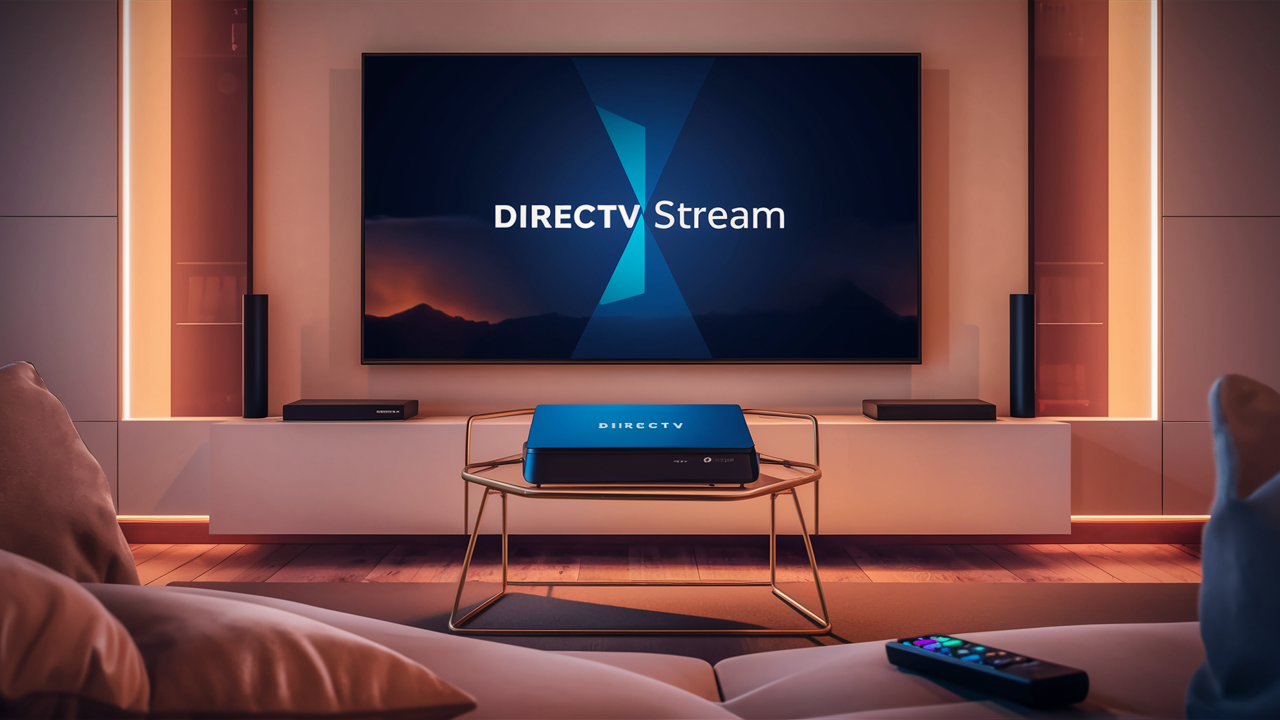
DIRECTV Stream Device (Osprey Box): For users who want a unified and optimized experience, DIRECTV offers its own streaming device, often referred to as the Osprey box. This device is designed to provide a seamless interface for DIRECTV Stream, integrating live TV, DVR, and apps into one user-friendly platform. It often comes with a dedicated remote and is built to maximize the DIRECTV Stream experience. This is the closest you'll get to a dedicated hardware solution for the streaming service, though it's not a satellite receiver.
When choosing a device, ensure it meets the minimum system requirements for the DIRECTV Stream app and that your internet connection is robust enough to support streaming on that device. Generally, devices that support 4K streaming and have Wi-Fi 5 (802.11ac) or Wi-Fi 6 (802.11ax) capabilities will provide the best experience. By supporting such a wide range of devices, DIRECTV Stream ensures that virtually anyone with a stable internet connection can access its services without needing specialized equipment beyond what they likely already own or can easily acquire.
Understanding DIRECTV Streaming Packages and Pricing (2025-26)
DIRECTV Stream offers a tiered approach to its channel packages, designed to cater to a variety of viewer needs and budgets. Understanding these packages is crucial for making an informed decision about which service best fits your entertainment consumption habits. For 2025-26, DIRECTV Stream continues to refine its offerings, aiming to provide a competitive edge in the crowded live TV streaming market. The pricing and channel lineups are subject to change, so it's always recommended to check the official DIRECTV Stream website for the most current details.
The packages generally start with a more basic tier and increase in channel count and price as you move up. Here’s a breakdown of the typical packages and what they offer:
1. DIRECTV Stream Entertainment
This is often the entry-level package, designed for viewers who want a broad selection of popular entertainment, news, and sports channels without overwhelming choice. It typically includes:
- Over 75+ channels.
- Major national networks (ABC, CBS, FOX, NBC).
- Popular cable channels like ESPN, CNN, HGTV, Discovery, TNT, TBS, and more.
- Some regional sports networks (RSNs) may be included, depending on your location.
- Unlimited Cloud DVR.
- Unlimited simultaneous streams at home.
This package is ideal for families and individuals who enjoy a mix of live sports, news, and general entertainment programming.
2. DIRECTV Stream Choice
Stepping up from Entertainment, the Choice package significantly expands the sports offerings, making it a popular option for sports enthusiasts. It typically includes:
- Over 105+ channels.
- All channels from the Entertainment package.
- A wider array of sports channels, including more ESPN networks (like ESPN2, ESPNU, SEC Network, ACC Network), MLB Network, NBA TV, and NHL Network.
- More regional sports networks (RSNs) are usually included, providing access to local professional and college sports teams.
- Expanded movie channels and more niche entertainment options.
- Unlimited Cloud DVR and unlimited home streams.
This package is a strong contender for those who follow multiple sports leagues or have a favorite local team whose games are broadcast on RSNs.
3. DIRECTV Stream Ultimate
The Ultimate package offers a more comprehensive selection for viewers who want a vast array of channels across all genres, including premium movie channels and a deeper dive into entertainment and sports. It typically includes:
- Over 140+ channels.
- All channels from the Choice package.
- Premium movie channels such as HBO, Cinemax, SHOWTIME, and STARZ (availability can vary and sometimes requires an add-on).
- More entertainment channels, including AMC, BBC America, and SundanceTV.
- Additional sports channels, potentially including Golf Channel and Tennis Channel.
- More international and niche programming.
- Unlimited Cloud DVR and unlimited home streams.
This package is suited for those who want a premium viewing experience with a wide selection of movies and a very broad channel lineup.
4. DIRECTV Stream Premier
This is DIRECTV Stream's top-tier offering, providing the most extensive channel selection, including all major premium movie networks and a comprehensive sports lineup. It typically includes:
- Over 150+ channels.
- All channels from the Ultimate package.
- All major premium movie channels like HBO Max, Cinemax, SHOWTIME, STARZ, and more.
- The most extensive sports coverage available within DIRECTV Stream packages.
- A vast library of on-demand content.
- Unlimited Cloud DVR and unlimited home streams.
This package is for the ultimate entertainment connoisseur who desires access to virtually every major channel and premium content service available through DIRECTV Stream.
Add-Ons and Extras
Beyond these core packages, DIRECTV Stream also offers various add-ons. These can include:
- Sports Pack: For even more sports channels, including NFL RedZone, beIN SPORTS, and more.
- Premium Channels: Individual premium movie channels or bundles if they aren't included in your chosen base package.
- International Channels: Packages catering to specific language preferences, such as Spanish or other international programming.
Pricing Considerations (2025-26 Estimates)
Pricing for DIRECTV Stream packages in 2025-26 typically ranges from approximately $70-$80 per month for the Entertainment package, up to $160-$170 per month for the Premier package. These prices are estimates and can fluctuate based on promotions, regional availability, and the inclusion of taxes and fees. It's important to note that DIRECTV Stream, like many streaming services, may have introductory pricing for the first few months, followed by a standard rate. Always verify the exact pricing and any promotional offers directly on the DIRECTV Stream website.
Key things to remember about DIRECTV Stream pricing:
- No Contracts: All packages are month-to-month.
- Unlimited DVR: Included in all packages.
- Unlimited Streams at Home: Standard for all packages.
- Regional Availability: Channel lineups, especially RSNs, can vary based on your geographic location.
- Internet Required: You must have a reliable internet connection, which is an additional cost not included in the DIRECTV Stream subscription fee.
By offering these tiered packages and flexible add-ons, DIRECTV Stream aims to provide a customizable and accessible streaming experience that can be tailored to individual needs, ensuring you can find a plan that aligns with your viewing preferences and budget for the 2025-26 television season.
Key Features and Benefits of Streaming DIRECTV
Choosing to stream DIRECTV via DIRECTV Stream unlocks a host of features and benefits that cater to the modern viewer's desire for flexibility, convenience, and comprehensive entertainment. The transition from traditional satellite to an internet-based service is driven by these advantages, making it a compelling option for many households.
One of the most significant benefits is the elimination of satellite dish installation. This is particularly advantageous for renters, individuals living in apartments or condos with strict exterior modification rules, or anyone who simply dislikes the aesthetic of a satellite dish. The setup is purely software-based, requiring only a compatible device and a stable internet connection. This means you can often start watching within minutes of signing up, a stark contrast to the scheduling and installation process required for satellite services.
Flexibility and Portability are paramount with DIRECTV Stream. The service is not tied to a fixed location. As long as you have a reliable internet connection, you can access your DIRECTV Stream subscription from virtually anywhere – whether you're traveling, at a vacation home, or even just in a different room of your house. This portability is a game-changer for those who are frequently on the move or want to maintain their viewing habits while away from home.
No Long-Term Contracts is another major draw. Unlike traditional satellite TV packages that often lock customers into 24-month agreements with hefty early termination fees, DIRECTV Stream operates on a month-to-month basis. This allows for unparalleled flexibility; you can upgrade, downgrade, or cancel your subscription at any time without penalty. This freedom is highly valued by consumers who prefer to avoid long-term commitments and want the ability to adapt their entertainment services as their needs change.
The inclusion of Unlimited Cloud DVR across all DIRECTV Stream packages is a substantial benefit. This feature allows you to record your favorite shows, movies, and live events and store them in the cloud. You can then watch your recordings on any compatible device, anytime. The "unlimited" aspect means you're not constrained by the storage capacity of a physical hard drive, and you can record multiple programs simultaneously. This offers the convenience of traditional DVRs without the hardware limitations.
Unlimited Simultaneous Streams at Home is also a standard feature. This means that multiple members of your household can watch different channels or on-demand content on separate devices simultaneously within your home network. This is ideal for larger families with diverse viewing preferences, ensuring everyone can enjoy their chosen programming without conflict.
Wide Device Compatibility, as detailed in the previous section, is a key benefit. DIRECTV Stream supports a vast range of smart TVs, streaming devices, mobile phones, and tablets. This means you likely already own devices that can access the service, or you can choose an affordable streaming stick to get started, avoiding the need for expensive proprietary set-top boxes.
Access to Regional Sports Networks (RSNs) is a significant advantage for sports fans. Many DIRECTV Stream packages, particularly the Choice and higher tiers, include access to a broad selection of RSNs. This is crucial for watching local professional and college sports teams, which are often not available on national sports channels. This feature helps DIRECTV Stream stand out from some competitors who may not offer the same depth of RSN coverage.
On-Demand Library: In addition to live TV, DIRECTV Stream provides access to a substantial library of on-demand movies and TV shows. This allows you to watch content at your convenience, even if you haven't recorded it, further enhancing the flexibility of the service.
User-Friendly Interface: The DIRECTV Stream app and the optional Osprey device are designed with ease of use in mind. Navigating channels, searching for content, and managing DVR recordings is generally intuitive, making the streaming experience enjoyable for both tech-savvy users and those new to streaming services.
In summary, the benefits of streaming DIRECTV through DIRECTV Stream revolve around freedom from traditional hardware, flexibility in viewing location and subscription terms, comprehensive features like unlimited DVR, and broad device support. These advantages collectively offer a modern, adaptable, and feature-rich television experience.
Troubleshooting Common Streaming Issues
While DIRECTV Stream is designed to provide a seamless viewing experience, like any internet-based service, occasional issues can arise. Fortunately, most common problems are relatively easy to troubleshoot and resolve. Understanding these potential hiccups and their solutions can save you time and frustration.
1. Buffering or Pixelation:
- Cause: This is almost always related to your internet connection speed or stability. Your internet may not be fast enough to download the video data in real-time, or there might be network congestion.
- Solution:
- Check Internet Speed: Run an internet speed test (e.g., Speedtest.net) on the device you are streaming on. DIRECTV recommends at least 25 Mbps for HD streaming.
- Restart Your Modem and Router: Unplug your modem and router for about 30 seconds, then plug them back in. This can often resolve temporary network glitches.
- Reduce Number of Connected Devices: If multiple devices are using your internet heavily (streaming, downloading, gaming), it can slow down your connection. Try disconnecting some devices.
- Use a Wired Connection: If possible, connect your streaming device directly to your router using an Ethernet cable. This provides a more stable and faster connection than Wi-Fi.
- Move Closer to Router: If using Wi-Fi, ensure your device is within a reasonable range of your router and that there are no major obstructions.
- Contact Your ISP: If your speeds are consistently below the recommended threshold, you may need to upgrade your internet plan or contact your Internet Service Provider to troubleshoot issues with their service.
2. App Not Loading or Crashing:
- Cause: This could be due to an outdated app version, a temporary software glitch on your device, or insufficient device resources.
- Solution:
- Restart the App: Force close the DIRECTV Stream app and reopen it.
- Restart Your Device: Turn your smart TV, streaming device, or mobile phone completely off and then back on.
- Check for App Updates: Go to your device's app store and check if there's an update available for the DIRECTV Stream app. Install any available updates.
- Clear App Cache/Data: On some devices (especially Android), you can clear the app's cache and data in the device's settings. Be aware that clearing data might require you to log back in.
- Reinstall the App: Uninstall the DIRECTV Stream app and then reinstall it from your device's app store.
3. Audio or Video Sync Issues:
- Cause: Often caused by a temporary lag in data processing or a slight difference in processing speeds between audio and video streams.
- Solution:
- Restart the Program/Channel: Simply changing to a different channel and then back, or restarting the on-demand program, can often resolve this.
- Restart Your Device: A full device reboot can clear temporary glitches.
- Check Audio Settings: Ensure your TV or audio system's audio settings are not causing a delay. Try disabling any surround sound processing temporarily.
4. Error Codes:
- Cause: Error codes can indicate a variety of issues, from account problems to connectivity issues.
- Solution:
- Note the Error Code: Write down the specific error code displayed on your screen.
- Consult DIRECTV Support: The most effective solution is to visit the DIRECTV Stream support website or contact customer service, providing them with the exact error code. They will have specific troubleshooting steps for each code.
- Basic Troubleshooting: Often, restarting your device and checking your internet connection can resolve general error codes.
5. Login Problems:
- Cause: Incorrect username/password, account issues, or server problems.
- Solution:
- Verify Credentials: Double-check that you are entering the correct username and password. Passwords are case-sensitive.
- Reset Password: Use the "Forgot Password" link on the DIRECTV Stream login page to reset your password if you're unsure.
- Check Account Status: Ensure your subscription is active and your billing information is up to date.
- Try a Different Device: See if you can log in on another compatible device to determine if the issue is device-specific.
6. Geographic Restrictions:
- Cause: Some content, particularly live sports, may be blacked out in your local area due to broadcasting rights.
- Solution:
- Check Local Listings: Verify if the game is indeed being broadcast locally.
- Use a VPN (Use with Caution): While some users employ VPNs to bypass geo-restrictions, this is often against the terms of service of streaming providers and can lead to account issues or inconsistent performance. DIRECTV Stream's terms of service may prohibit this.
When troubleshooting, always start with the simplest solutions first (like restarting devices and checking your internet). If problems persist, DIRECTV's online support resources and customer service are valuable assets for resolving more complex issues. A stable internet connection remains the most critical factor for a smooth DIRECTV streaming experience.
Considering Alternatives to DIRECTV Streaming
While DIRECTV Stream offers a robust and comprehensive streaming experience, it's wise to consider the competitive landscape when making your television service decision. The live TV streaming market is dynamic, with several providers offering similar services, each with its own strengths and weaknesses. Understanding these alternatives can help you ensure you're choosing the best fit for your specific needs and budget in 2025-26.
1. YouTube TV:
- Overview: YouTube TV is a major player known for its extensive channel lineup, including a strong selection of sports and local channels. It offers unlimited cloud DVR storage and a user-friendly interface.
- Key Features: Over 100 channels, unlimited DVR, 4K Plus add-on, multiple user profiles.
- Pros: Excellent sports coverage, broad channel selection, unlimited DVR is standard, intuitive interface.
- Cons: Pricing can be higher than some competitors, some premium channels may require separate subscriptions.
- Comparison to DIRECTV Stream: Often seen as a direct competitor. DIRECTV Stream might have an edge in certain regional sports network coverage depending on the package, while YouTube TV is praised for its overall channel breadth and DVR simplicity.
2. Hulu + Live TV:
- Overview: Hulu + Live TV combines Hulu's extensive on-demand library with live TV channels. It's a popular choice for those who want both live programming and a vast selection of movies and TV shows from Hulu's original content and licensed library.
- Key Features: Over 95 live channels, Hulu's on-demand library, Disney+ and ESPN+ included in base plans (as of recent offerings), unlimited DVR.
- Pros: Bundles live TV with popular on-demand services, strong entertainment and sports channels, good value if you utilize all bundled services.
- Cons: DVR is limited to 50 hours unless upgraded, interface can sometimes feel a bit complex with the integration of multiple services.
- Comparison to DIRECTV Stream: Hulu + Live TV offers a compelling bundle if you're already a Hulu subscriber or interested in Disney+ and ESPN+. DIRECTV Stream typically offers more channels in its base packages and superior DVR capabilities without add-ons.
3. Sling TV:
- Overview: Sling TV is known for its customizable, à la carte approach. It offers two base packages, Sling Orange and Sling Blue, which can be combined, and then allows users to add "Sling Paks" for specific interests like sports, news, or entertainment.
- Key Features: Flexible channel packs, affordable base prices, customizable.
- Pros: Lower entry price point, highly customizable, good for niche channel needs.
- Cons: Base packages are smaller, DVR is limited (20 hours included, upgradeable), fewer RSNs compared to DIRECTV Stream or YouTube TV.
- Comparison to DIRECTV Stream: Sling TV is generally more budget-friendly, especially if you only need a few specific channels. DIRECTV Stream offers a more comprehensive, all-in-one package with more channels and better DVR features included by default.
4. FuboTV:
- Overview: FuboTV originally positioned itself as a sports-focused streaming service and still offers an extensive sports channel lineup, including many RSNs and international sports channels. It has since expanded its entertainment and news offerings.
- Key Features: Over 150 channels (depending on package), strong focus on sports, unlimited DVR (in most plans), 4K streaming.
- Pros: Excellent for hardcore sports fans, broad channel selection, good DVR.
- Cons: Can be one of the more expensive options, some popular entertainment channels might be missing compared to DIRECTV Stream or YouTube TV.
- Comparison to DIRECTV Stream: Both are strong contenders for sports fans. FuboTV might offer more niche international sports, while DIRECTV Stream often has a broader mix of entertainment and local channels alongside its sports.
5. Other Options:
- Sling TV (Freeform Streaming): While not a direct competitor for live TV, services like Sling TV (which has a free tier with some ad-supported content) or Tubi offer free, ad-supported streaming of movies and TV shows. These are supplementary and do not offer live news or sports.
- Cable Provider Streaming Apps: Some traditional cable providers offer their own streaming apps that allow existing subscribers to watch content on various devices. However, these are typically tied to a traditional cable subscription.
When evaluating these alternatives against DIRECTV Stream, consider the following factors:
- Channel Lineup: Does the service carry all the channels you regularly watch, especially local channels and specific sports networks?
- Price: What is the monthly cost, and does it fit your budget? Are there any hidden fees or required add-ons?
- DVR Capabilities: How much recording time is offered, and is it included or an extra cost?
- Device Compatibility: Does the service work on the devices you own or plan to use?
- Simultaneous Streams: How many people can watch at once, and where?
- Bundled Services: Are there any bundled on-demand services (like Hulu, Disney+, HBO Max) that add value for you?
By comparing these aspects, you can make an informed decision about whether DIRECTV Stream is the best streaming service for your household, or if one of its many competitors might be a better fit for your viewing habits and financial preferences.
Conclusion: Your Stream to DIRECTV Content
In conclusion, the answer to "Can you just stream DIRECTV?" is a resounding yes, primarily through the robust and flexible DIRECTV Stream service. Gone are the days when DIRECTV was exclusively tied to satellite dish installations. DIRECTV Stream offers a modern, internet-based television experience that eliminates the need for hardware installation, long-term contracts, and the geographical limitations of traditional satellite TV. With a variety of packages catering to different viewing preferences and budgets for 2025-26, from the broad Entertainment tier to the comprehensive Premier option, you can curate your entertainment to your exact needs. The inclusion of unlimited cloud DVR, unlimited simultaneous streams at home, and broad device compatibility further enhances its appeal. While alternatives exist in the competitive live TV streaming market, DIRECTV Stream stands out for its extensive channel selection, particularly its strong regional sports network coverage, and its commitment to a user-friendly, contract-free experience. By ensuring you have a stable internet connection and selecting the package that best suits your viewing habits, you can easily transition to streaming DIRECTV and enjoy your favorite live TV, sports, and on-demand content with unparalleled flexibility and convenience.